Everything you need to reshape traffic.
Six focused tools, one small popup. Each rule applies instantly and only where you tell it to.
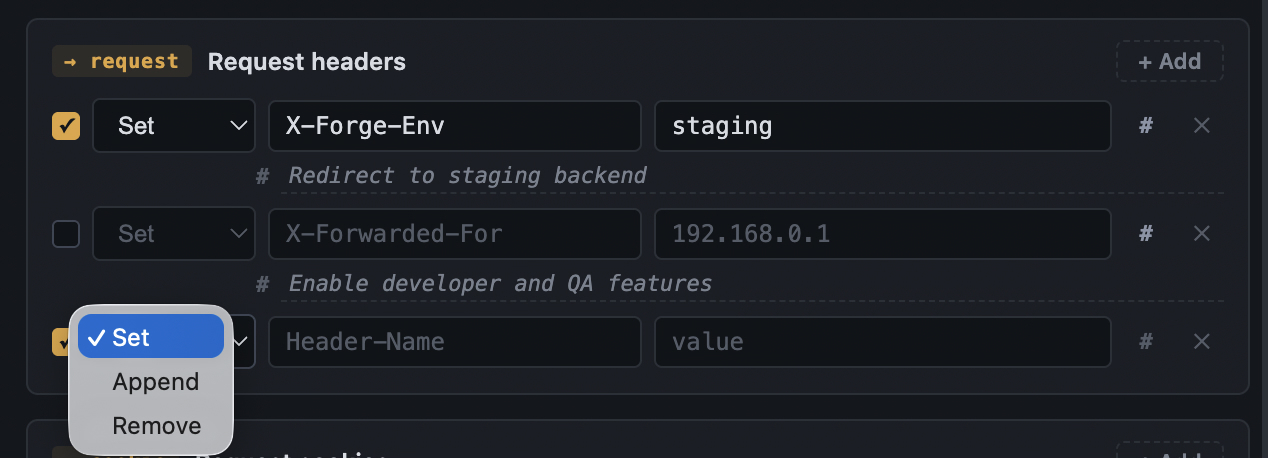
Set, append, or remove any request header
Inject an environment flag, spoof a forwarded IP for an edge test, or strip a header your client keeps sending. Rules take effect the moment you save.
- Three operations: set, append, remove
- Per-rule on/off without deleting anything
- Add a comment to remember why a rule exists
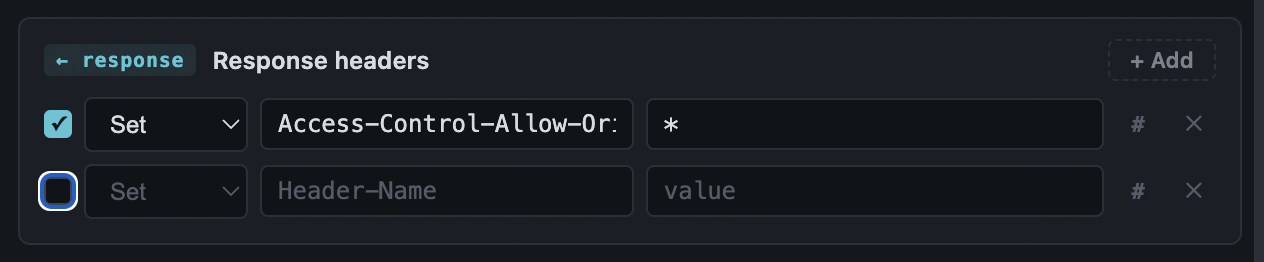
Rewrite what the browser receives
Unblock CORS against a nonprod API, drop a strict Content-Security-Policy while you debug, or simulate cache behavior — all evaluated against the modified headers, so the browser actually honors them.
- Full set / append / remove on responses
- CORS and CSP testing without a proxy
- Fails closed — a bad rule never half-applies
Plant, append, or clear cookies
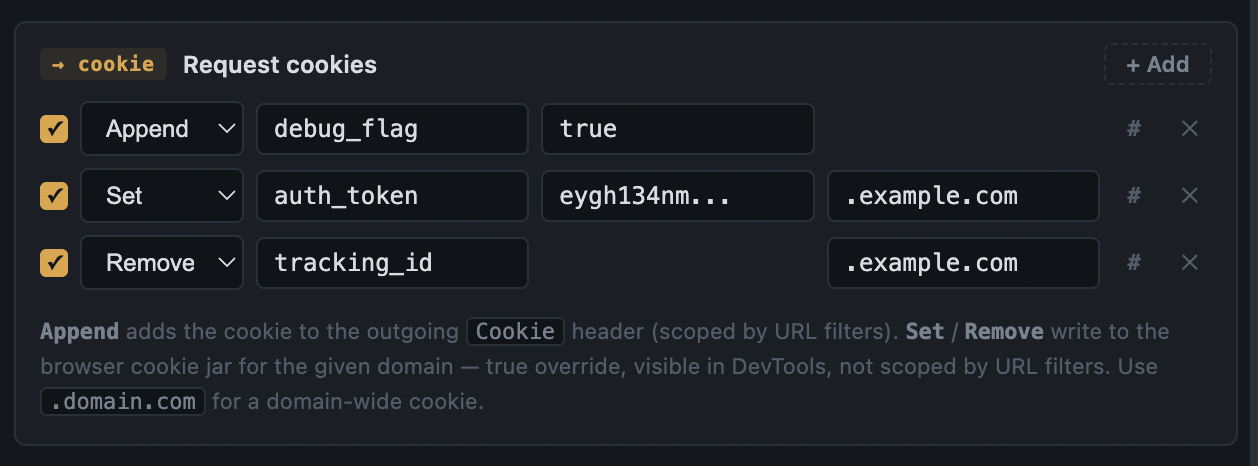
Append a cookie to the outgoing header, or write a real one into the browser jar for a whole domain — a true override you can see in DevTools. Perfect for dropping an auth token onto a staging endpoint.
- Append rides the Cookie header, scoped by your filters
- Set / Remove write straight to the cookie jar
- Cleaned up automatically when you switch away
Apply rules exactly where you mean to
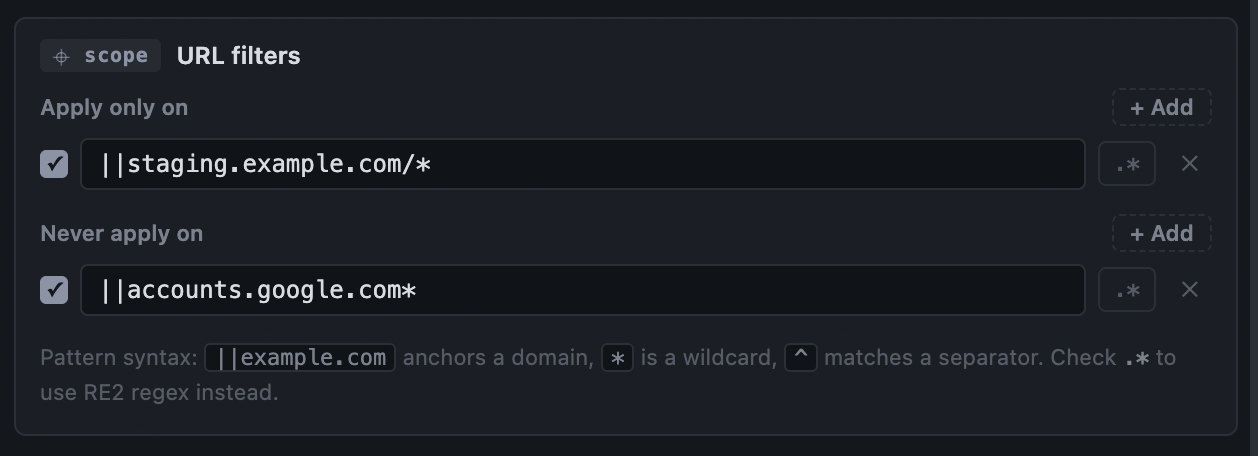
Scope any rule to the hosts and paths you choose. Include the sites a rule should touch, exclude the ones it must never touch — with simple wildcards or full RE2 regex.
- Wildcard patterns like
||api.example.com/* - Exclusions win over includes
- Regex mode for anything more precise
One click between whole setups
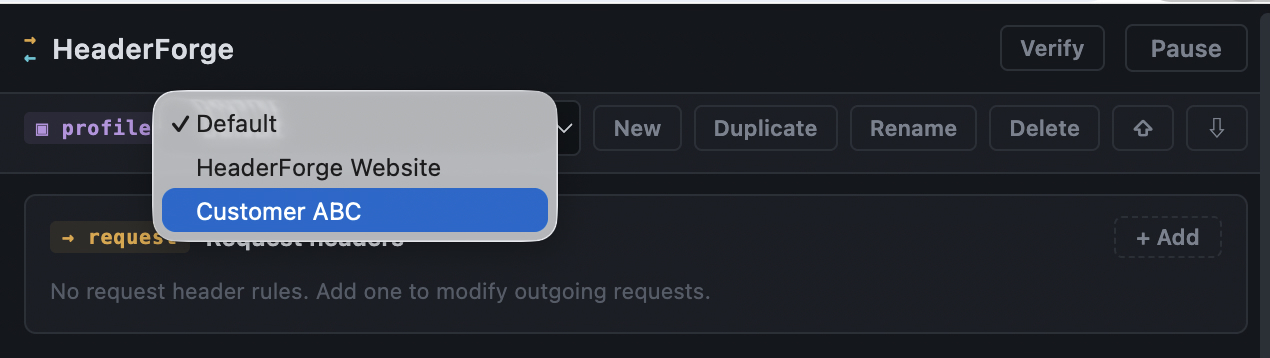
Keep a staging profile, a CORS-testing profile, and a clean one — each with its own headers, cookies, and filters. Only the active profile runs; the rest stay saved and silent.
- New, duplicate, rename, delete
- Switching swaps every rule instantly
- Export and import to back up or share
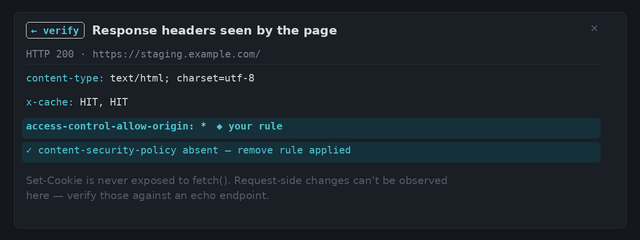
See what the page actually receives
The DevTools Network panel shows headers before modification, so it can't confirm a rule worked. Verify fetches the current tab and shows the real, post-modification response headers — your rules highlighted.
- Confirms response rules at a glance
- Pass / fail verdicts for removals
- No guesswork, no external echo service