HeaderForge modifies HTTP request and response headers, plus request cookies, on the sites you choose. Rules apply instantly through Chrome's own network engine, and everything you configure stays in your browser.

Installing
Grab the extension from the Download page — either the Chrome Web Store listing or the local package. For the local package: unzip it somewhere permanent, open chrome://extensions, turn on Developer mode, click Load unpacked, and select the folder containing manifest.json. Pin the icon from the toolbar's puzzle-piece menu.
Request headers
Each row is one rule: an enable checkbox, an operation, a header name, and a value.
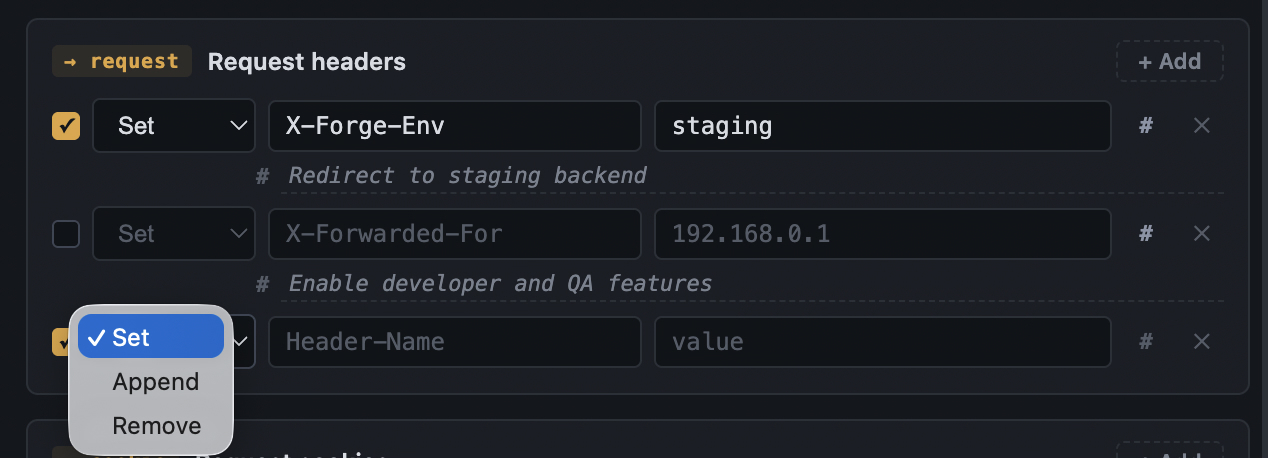
Set replaces the header, creating it if absent — the common case. Append adds your value to an existing header. Remove deletes it; the value field disappears since it isn't needed.
Example — spoof a client IP for an edge test. Add a Set rule for X-Forwarded-For with value 203.0.113.7, scoped with a URL filter to your service. Your origin now sees the injected address on every matching request.
Cookie, Accept, User-Agent, X-Forwarded-For). An unsupported combination shows the ERR badge. Response headers support Append universally.Response headers
Identical mechanics, but for what the browser receives — where you unblock CORS, strip or draft a Content-Security-Policy, or simulate caching.
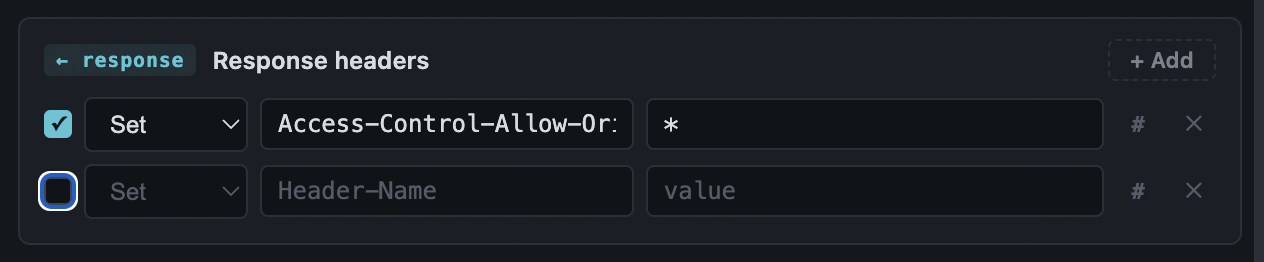
Example — unblock CORS against a nonprod API. Add a Set rule for Access-Control-Allow-Origin with value *, filtered to the API host. Cross-origin fetches now pass the browser's CORS check, because Chrome evaluates CORS against the modified headers.
Request cookies
Cookie rules have three operations with deliberately different mechanics, because Chrome treats the Cookie header as one opaque string.
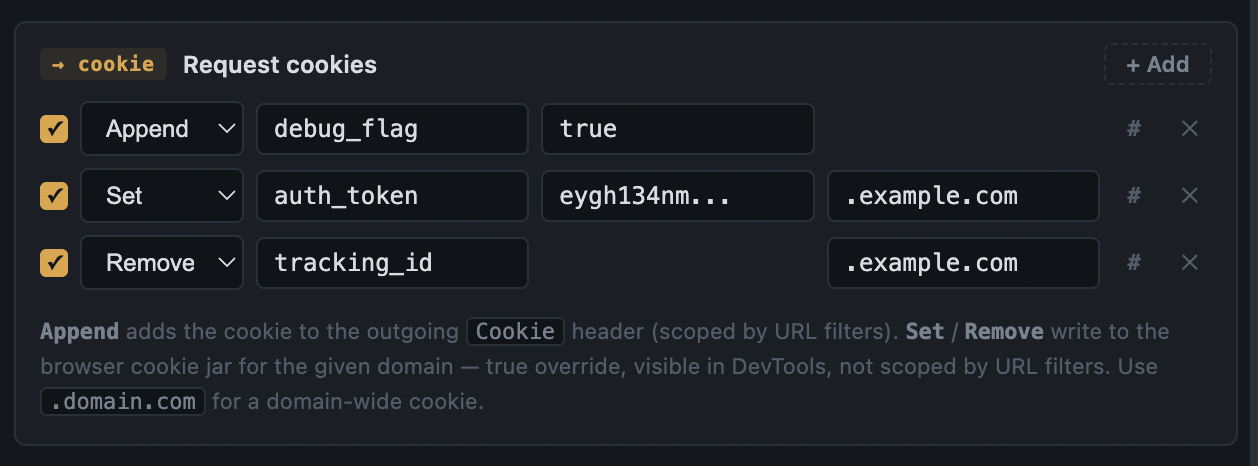
Append adds name=value to the outgoing Cookie header. It respects URL filters and never touches stored cookies. If the browser jar already sends a same-named cookie, the server sees both — so Append adds, it doesn't override.
Set writes a session cookie into the browser jar for the domain you specify — a true override, visible in DevTools → Application → Cookies. Use a leading dot (.example.com) for a domain-wide cookie.
Remove deletes the named cookie from the jar for that domain when the rule activates.
Example — plant an auth cookie on a nonprod endpoint. Add a Set rule with name auth_token, your token as the value, and domain .example.com. Activate the profile: the cookie appears in the jar and rides every request to that domain. Switch profiles or pause, and HeaderForge removes it.
URL filters
Filters scope where header rules and Append cookie rules apply. With no include filters, rules apply everywhere.
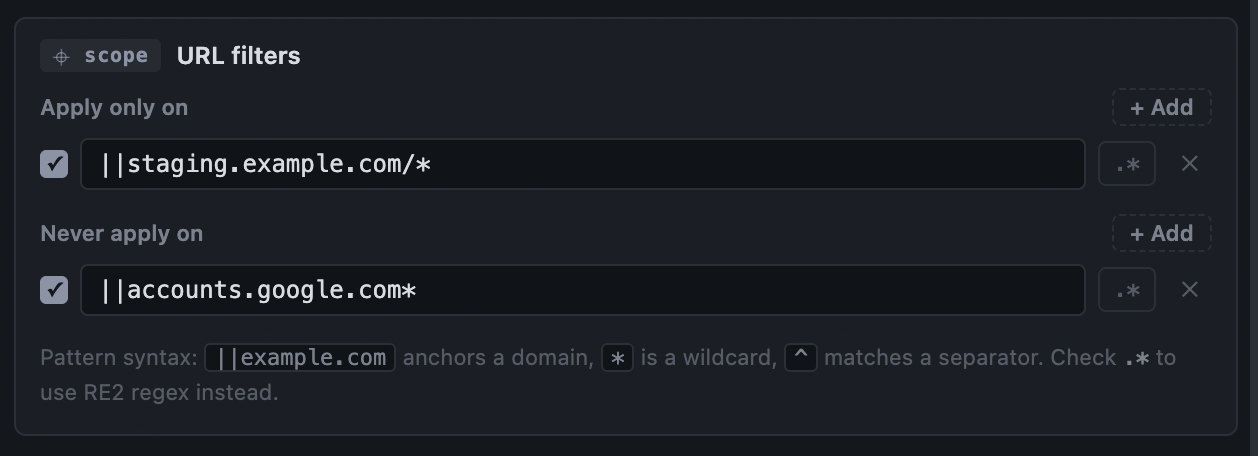
The default syntax is Chrome's urlFilter format: ||example.com anchors a domain and subdomains, * is a wildcard, and ^ matches a separator. A typical pattern: ||api.example.com/v2/*. Toggle .* on a row to interpret the pattern as RE2 regex instead.
Example — keep a token off third-party sites. Include ||myapp.example.com/* so an Authorization rule fires only on your host. Or invert it: leave includes empty and exclude a sensitive host so a broad debugging header never leaks there.
ERR badge naming the problem.Profiles
Profiles are complete, independent configurations — headers, cookies, and filters together. Exactly one is active at a time; switching atomically swaps all rules and syncs jar cookies.
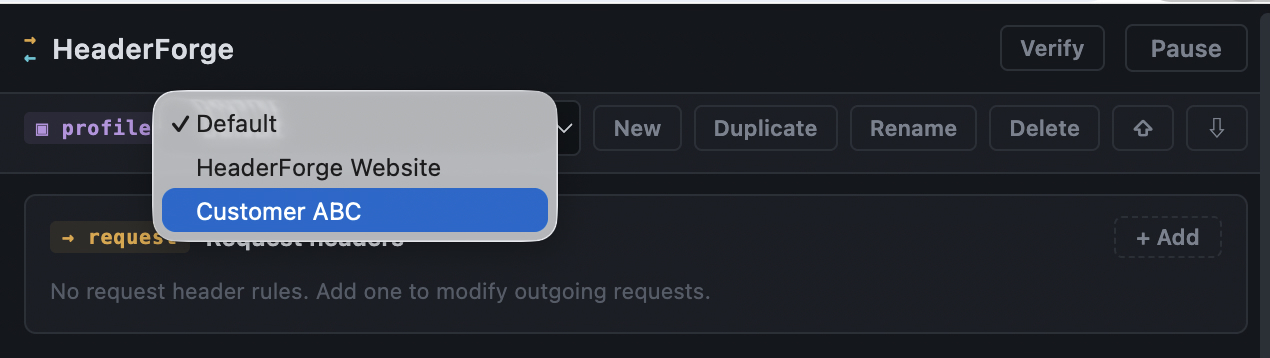
New creates an empty profile, Duplicate clones the active one, Rename edits inline (Enter commits, Esc cancels), and Delete is a two-step "Sure?" button since popups can't show dialogs.
Example — environment switching. Keep a Staging API profile (auth cookie + environment header + host filter) and a CORS testing profile (a response CORS rule). Flip between them from the dropdown; nothing from the inactive profile leaks through.
Verify
The Verify button answers a question DevTools can't: is my response rule actually working? It re-fetches the current tab from the page's own context and lists the response headers exactly as the renderer sees them, after modification.
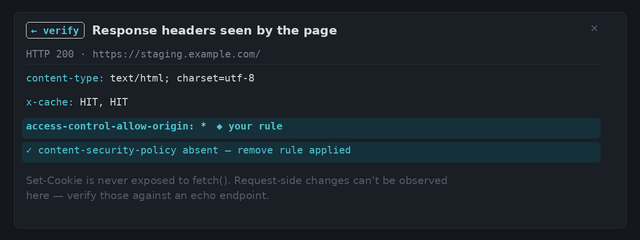
Set-Cookie is never exposed to page fetch(), so cookie response headers can't be shown. And request-side changes are invisible from a response — verify those against an echo endpoint. Verify also can't run on chrome:// or extension pages.Comments
Every header and cookie rule can carry an optional comment. Click the # button on a row to open a note line beneath it — for example, # staging bypass token, rotate each deploy. Comments never affect what's sent, are kept when a rule is disabled, and travel with the profile in exports.
The toolbar badge
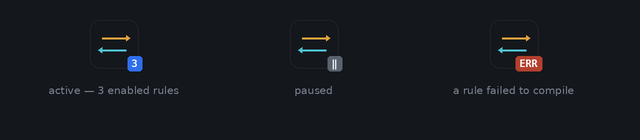
A blue number counts the enabled rules in the active profile. A gray ‖ means everything is paused. A red ERR means a rule failed to compile — open the popup for the exact error. While ERR shows, no rules apply at all; HeaderForge fails closed rather than run a partial set.
Import & export
The two arrow buttons at the right of the profile bar handle backup, device transfer, and sharing.
Export downloads all your profiles as a single JSON file. Import opens a file picker, then offers Merge (add alongside existing profiles, auto-renaming clashes) or Replace all (swap everything and activate the first import). Rules rebuild instantly either way.
To move devices: export on the old machine, install on the new one, import, choose Replace all. To share one profile: duplicate it, export, and let a colleague import with Merge.
.env file, and only import files from people you trust.